Not every crop in Roblox Grow a Garden pays the same. At base weight, a Carrot sells for 18 Sheckles and a Mushroom sells for 136,278, so the crop you pick matters a lot.
This Grow a Garden crop profit calculator guide ranks 15 crops by sell value and shows when weight and mutations change the order. The calculator gives you sell value per harvest, but not seed cost or growth time, so this guide never guesses them. You can check any crop with the free crop calculator as you read.
How to Calculate Crop Profit in Grow a Garden
Crop profit is what you earn when you sell minus what you paid for the seeds. The Grow a Garden crop profit calculator handles the first half, and you add the second half yourself.
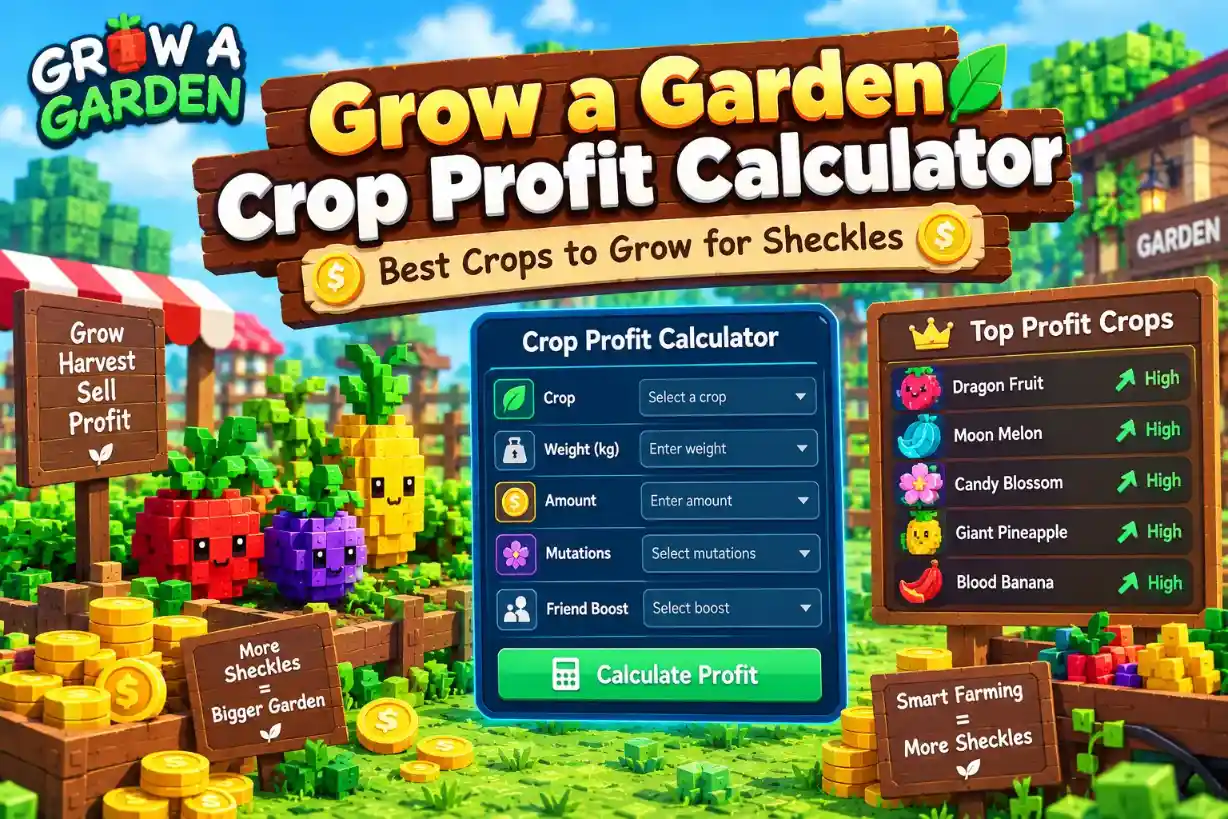
What the Calculator Shows
The calculator gives you the sell value of a crop at the weight, mutation and friend boost you set. It does not track what you spent.
Scroll sideways to see more columns when needed.
The calculator shows | The calculator does not show |
Sell value per crop | Seed cost |
Value at any weight | Growth time |
Mutation and variant effects | Harvest count or regrow cycles |
Friend boost effect | Sheckles per hour |
There is no seed price anywhere in the tool
Every crop’s growth time reads as unknown, so a per-hour ranking is not possible
That is why this guide ranks crops by sell value per harvest
The Profit Math
The math is short. Gross income is what you sell for, and net profit is what is left after seeds.
Gross income = sell value × amount
Net profit = gross income − seed cost
For example, say you sell 3 Apples at 248 Sheckles each. Gross income is 744. With a sample seed cost of 100, net profit is 644. Use your own seed price, because the calculator does not know it.
Sell value is the number the calculator gives you
Amount is how many crops you sell
Seed cost is the only number you bring yourself
For the full step-by-step value math, see our crop value calculator guide.
The Base Weight Rule
Every crop has a base weight. At that weight, or below it, the calculator shows the crop’s base value. Above it, value rises roughly with the square of the weight.
An Apple at its 2.85 kg base weight sells for 248
An Apple at double that weight, 5.7 kg, sells for 992, which is 4 times more
Other crops differ a little, so always read the number off the calculator
A crop that weighs less than its base weight earns no extra credit for being heavier. The weight only starts to pay once it passes the base.
Crop Value Tiers: Low, Starter, Mid, High and Top
Crop values in Grow a Garden are not close to each other. The cheapest crop sells for 14 Sheckles and the top crop sells for 136,278, so grouping crops into tiers makes the choice easier.
All 15 Crops by Base Value
This table lists every crop we ranked, at base weight with no mutation. The tiers are our own grouping, not labels from the game.
Scroll sideways to see more columns when needed.
Crop | Base value | Base weight | Tier |
Strawberry | 14 | 0.28 kg | Low |
Carrot | 18 | 0.24 kg | Low |
Blueberry | 18 | 0.19 kg | Low |
Tomato | 27 | 0.44 kg | Low |
Apple | 248 | 2.85 kg | Starter |
Coconut | 361 | 13.31 kg | Starter |
Kiwi | 2,482 | 4.75 kg | Mid |
Watermelon | 2,708 | 7.3 kg | Mid |
Dragon Fruit | 4,287 | 11.38 kg | Mid |
Mango | 5,866 | 14.28 kg | Mid |
Pepper | 7,220 | 4.75 kg | Mid |
Cacao | 10,830 | 7.6 kg | High |
Starfruit | 13,538 | 2.85 kg | High |
Beanstalk | 25,270 | 9.5 kg | High |
Mushroom | 136,278 | 23.75 kg | Top |
Values match the calculator’s base data, and the value data was last updated 8/1/2026, so check the calculator for changes.
How the Tiers Are Grouped
The values come in steps, not a smooth line. Three jumps stand out.
From Tomato to Apple, the value jumps about 9 times (27 to 248)
From Coconut to Kiwi, it jumps about 7 times (361 to 2,482)
From Beanstalk to Mushroom, it jumps about 5 times (25,270 to 136,278)
We split the long middle at about 10,000 so the High tier stays easy to read. Mushroom stands alone, since it sells for about 7,500 times a Carrot.
Base weight does not follow value: Starfruit weighs 2.85 kg and is worth 13,538, while Coconut weighs 13.31 kg and is worth 361
Rarity labels on the value list do not line up with sell value either: Strawberry is listed as Rare, yet its 14 is lower than Common Carrot’s 18
Use sell value to rank crops, not weight or rarity
Best Crops for Early Game Profit
Early game here means the low-value crops, since they are the cheapest tiers. The calculator shows value, not unlock order, so check which crops you can plant in your own game.
Best Early Picks
These six crops sit at the bottom of the value table. Tomato leads the Low tier, and Apple and Coconut are the first big step up.
Scroll sideways to see more columns when needed.
Crop | Base value | Why it stands out |
Tomato | 27 | Best of the Low tier |
Carrot | 18 | Light base weight (0.24 kg) |
Blueberry | 18 | Lightest base weight (0.19 kg) |
Strawberry | 14 | Lowest value, but weight lifts it fast |
Apple | 248 | Light base weight (2.85 kg), 9 times Tomato |
Coconut | 361 | Highest early value, but heavy base weight (13.31 kg) |
Apple is easier to push past its base weight than Coconut, since it only needs to pass 2.85 kg while a Coconut must pass 13.31 kg
Check the seed price in your game before you buy, because the calculator does not show it
Move up to Apple or Coconut as soon as you can, since both are far above the Low tier
Get More From Cheap Crops
Cheap crops gain the most from a small weight bump, because their base weights are small.
A Carrot at 0.30 kg sells for 25, which is about 39 percent more than its base 18 at 0.24 kg
Any weight below base weight earns nothing extra, so only crops past the base are worth keeping
Compare the calculator’s number to the base value before you sell
Best Crops for Late Game Profit
Late game here means the high-value crops. These pay far more per harvest than anything in the early tiers, but the calculator still cannot show their seed cost.
Top Late Game Picks
These five crops lead the table, from the top of the Mid tier up to Mushroom.
Scroll sideways to see more columns when needed.
Crop | Base value | Base weight | What stands out |
Mushroom | 136,278 | 23.75 kg | About 10 times Starfruit |
Beanstalk | 25,270 | 9.5 kg | Second-highest value |
Starfruit | 13,538 | 2.85 kg | High value, very light base weight |
Cacao | 10,830 | 7.6 kg | Steady High tier pick |
Pepper | 7,220 | 4.75 kg | Top of the Mid tier |
Starfruit needs to pass only 2.85 kg to start earning from weight, while Mushroom needs 23.75 kg
Pepper and Kiwi share a 4.75 kg base weight, yet Pepper sells for about 3 times more (7,220 vs 2,482)
A high sell value is not the same as high profit, since seed cost is not in the calculator
Why Mushroom Stands Alone
Mushroom is in a class of its own. Its base value of 136,278 is higher than the other 14 crops in the table added together, which total 72,887.
Beanstalk is the next best, and Mushroom still sells for about 5 times more
Mushroom’s heavy base weight of 23.75 kg means plenty of weight is needed before it grows past the base
If you can grow Mushroom, the calculator will show it winning most comparisons
When a Heavy Cheap Crop Beats an Expensive One
A crop’s base value is only the starting point. Because value rises with weight squared, a light crop that grows heavy can pass a more expensive one at base weight.
A Strawberry That Ties an Apple
Strawberry has the lowest base value in the table, at 14. Push its weight up, and it catches an Apple fast.
Scroll sideways to see more columns when needed.
Strawberry weight | Sell value | How it compares |
0.28 kg (base) | 14 | Starting value |
1.176 kg (4.2 times base) | 248 | Ties a base-weight Apple |
7.3 kg | 9,539 | Beats a base-weight Pepper and Mango |
At 1.176 kg, a Strawberry sells for exactly the same 248 as an Apple at base weight
At 7.3 kg, it sells for 9,539, which is more than Pepper (7,220) and Mango (5,866) at base weight
Cacao (10,830) still sells for more than that Strawberry
Weight is the lever here, so compare weights as well as crop names
The calculator accepts any weight you type. Check what weights you can really grow before you plan around a big number. For more on how weight and base weight work, read our guide to crop weight and base weight.
What Weight Cannot Do
Weight only helps once a crop passes its base weight. Below it, the calculator shows the plain base value.
A Mushroom shows 136,278 at 7.3 kg and at 10 kg, because both are far below its 23.75 kg base weight
Extra weight under the base earns nothing, so do not count it as progress
Just over the base, some crops jump fast: a Watermelon is 2,708 at 7.30 kg, but 3,273 at 7.31 kg, about 21 percent more
Other crops may behave differently, so test your own crop in the calculator
How Mutations and Friend Boost Change the Ranking
Mutations can lift a cheap crop past a much more expensive one. The base-value ranking only holds when crops grow plain.
Mutation Effects on Three Crops
This table shows one crop from each part of the ranking at base weight. Rainbow plus Shocked is a combined 5,000 times the base value.
Scroll sideways to see more columns when needed.
Crop | Base | Gold (20×) | Rainbow (50×) | Rainbow + Shocked (5,000×) |
Carrot | 18 | 360 | 900 | 90,000 |
Watermelon | 2,708 | 54,160 | 135,400 | 13,540,000 |
Mushroom | 136,278 | 2,725,560 | 6,813,900 | 681,390,000 |
A Rainbow Carrot (900) beats a plain Apple (248) and a plain Coconut (361)
A Rainbow and Shocked Carrot (90,000) beats every High tier crop at base weight
A Rainbow Watermelon (135,400) falls just short of a plain Mushroom (136,278)
A Rainbow and Shocked Watermelon (13,540,000) is about 99 times a plain Mushroom
Only one variant counts at a time, so Gold and Rainbow never stack. At the top end, a Mushroom at base weight with Max Mutations shows 45,251,109,900. For the full list of types and values, see our mutation multiplier guide.
Friend Boost
Friend boost is a simple percentage added on top of the value.
A 50 percent boost multiplies the value by 1.5
A Watermelon at 7.3 kg goes from 2,708 to 4,062 with a 50 percent boost
The boost helps every crop by the same percentage, so it never changes the ranking
Compare crops with the same boost, or leave it off, to keep the ranking fair.
Crop Profit Mistakes That Cost Sheckles
Most mistakes with the Grow a Garden crop profit calculator come from reading a high number as a high profit. These are the ones that cost players the most.
Money Mistakes
The calculator shows value, not cost, so some checks are up to you.
Ignoring seed cost: the tool has no seed price, so always subtract it yourself
Planning around Sheckles per hour: growth time reads as unknown for every crop, so the calculator cannot give an hourly rate
Trusting old values: the value data was last updated 8/1/2026, so check the calculator for changes before you plan
Weight and Mutation Mistakes
Weight and mutations change values fast, and some rules are easy to misread.
Counting weight below the base: a Mushroom shows 136,278 at both 7.3 kg and 10 kg, because it has not passed its 23.75 kg base weight
Expecting exact 4 times at double weight: Apple gave exactly 4 times, but Carrot gave about 3.6 times and Watermelon about 4.8 times
Stacking variants: Gold and Rainbow never add together, because only the highest variant counts
Comparing crops with different boosts: a 50 percent friend boost on one crop and none on another makes the comparison unfair
Ranking Mistakes
A crop’s rank comes from its sell value, not from how it looks in the table.
Ranking by base weight: Starfruit weighs 2.85 kg and sells for 13,538, while Coconut weighs 13.31 kg and sells for 361
Ranking by rarity: Strawberry is listed as Rare, yet it sells for less than Common Carrot
Skipping the mutation check: a Rainbow Carrot (900) can beat a plain Apple (248), so compare crops with the mutations you can actually grow
Grow a Garden Profit Questions Answered
What is the Grow a Garden crop profit calculator?
It is a free tool that gives the sell value of a crop at the weight, mutation and friend boost you set. It does not show seed cost or growth time, so you subtract the seed cost yourself to find net profit.
What is the most profitable crop in Grow a Garden?
By sell value, it is Mushroom at 136,278 at base weight, which is more than the other 14 ranked crops added together. Seed cost is not in the calculator, so check the seed price in your game.
What is the best crop for early game profit?
Tomato (27) leads the Low tier, and Apple (248) and Coconut (361) are the first big step up. The calculator does not show unlock order, so pick the best crop you can plant.
How do I calculate crop profit?
Gross income is sell value × amount, and net profit is gross income − seed cost. Take the sell value from the calculator and the seed cost from your game.
Does weight change crop profit?
Yes, but only above a crop’s base weight. At or below the base, the calculator shows the base value, and above it the value rises roughly with the square of the weight.
Do mutations change which crop is best?
Yes, they can flip the ranking. A Rainbow Carrot (900) beats a plain Apple (248), and only the highest variant counts, so Gold and Rainbow never stack.
Does the calculator show seed cost or growth time?
No. It has no seed prices, and growth time reads as unknown for every crop. That means no Sheckles per hour, ROI or break-even, only sell value per harvest.
Pick Your Next Crop by the Numbers
The best crop is the one with the highest sell value that you can actually grow. Mushroom leads the table at 136,278, but a heavy Strawberry or a Rainbow Carrot can beat crops that look far better at base weight. The Grow a Garden crop profit calculator shows you those numbers, and you add the seed cost to find your real profit.
Before you plant, run your crop through the calculator with its real weight and mutation. Then check the latest value data for updates, since values can change.