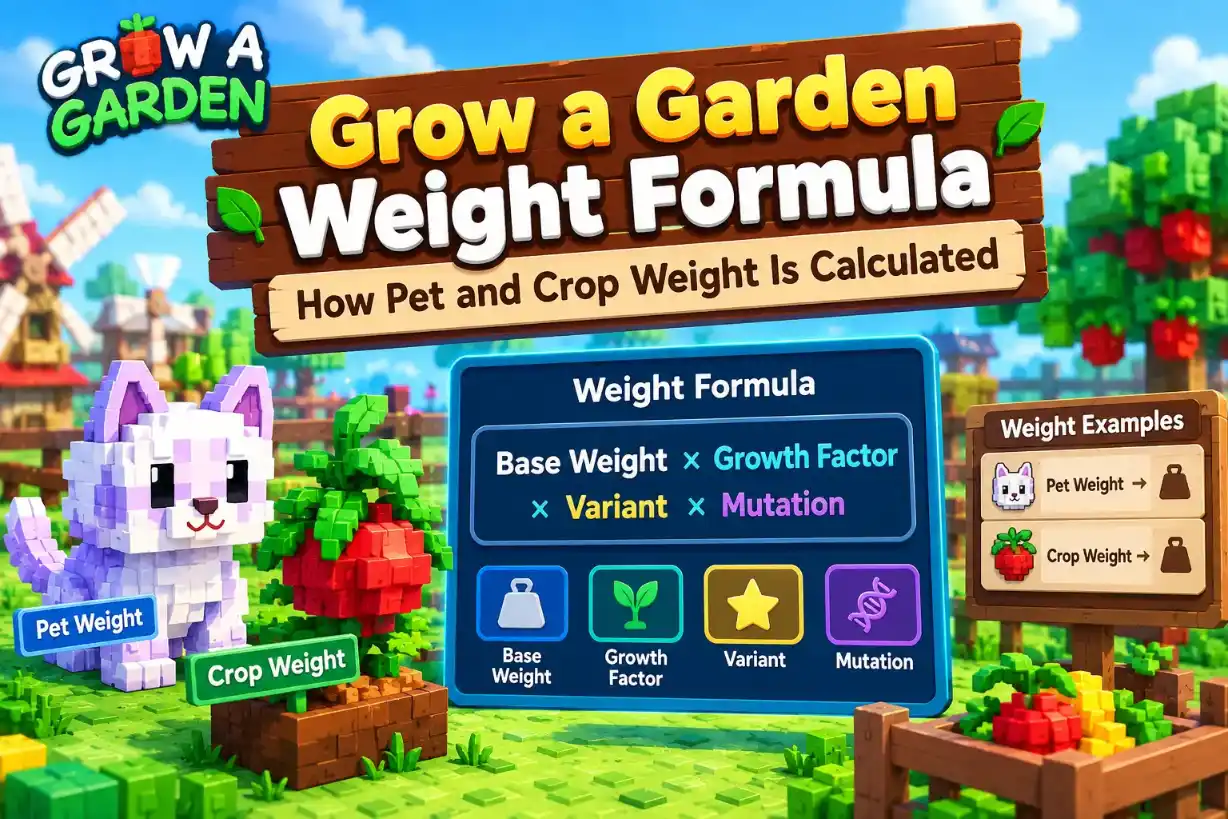
Weight shapes a pet's stats and a crop's price in Roblox Grow a Garden. Pets gain weight as they age, and crops carry a weight in kilograms that sets their sell value. Once you know how each number works, you can judge a pet or a harvest before you trade it.
This Grow a Garden weight formula guide covers how pet weight grows with age, what hatch weight and max weight mean, and how crop weight connects to value. You can check every number as you read with the free Grow a Garden weight calculator.
How the Grow a Garden Weight Formula Works
Every pet and crop in Grow a Garden carries a weight in kilograms. Pets grow heavier with age, and crops are priced by how heavy they are compared with their base weight.
Base, Hatch and Current Weight
Three weight terms show up in every calculator. Learn them once and the rest of this guide gets easier.
Scroll sideways to see more columns when needed.
Term | What it means |
Base weight | The standard weight of a crop type. Crop value is measured against it. |
Hatch weight | The weight a pet has when it hatches, at age 1 |
Current weight | The weight your pet or crop has right now, in kilograms |
The calculators ask for your current weight, not the base weight
A pet's hatch weight is the starting point for how heavy it can grow
Enter weight in kilograms every time, not on the value-list scale
Pet Weight vs Crop Weight
Pets and crops both use kilograms, but weight does a different job for each one. Mixing them up leads to wrong numbers.
Scroll sideways to see more columns when needed.
Pets | Crops | |
What changes it | Age | The crop's own weight at harvest |
What it affects | Stats and stat caps, plus trade value | Sell value |
Where to check it | Pet Weight by Age tool | Plant calculator, Weight (kg) box |
Crop weight has the bigger effect on price because value grows with the square of weight. Our crop value calculator guide shows the full math, so this guide focuses on how weight itself is calculated.
Pet Weight Formula by Age
A pet's weight changes at every age level. The Pet Weight by Age tool shows that growth one age at a time, so you can see what a pet weighs before you spend time raising it.
Using the Pet Weight by Age Tool
The tool needs only two numbers, and it builds the full table for you. Open the Pet Weight by Age tab on the Grow a Garden calculator and follow the steps below.
Scroll sideways to see more columns when needed.
Step | What to do |
1 | Open the Pet Weight by Age tab |
2 | Enter the pet's current weight in kilograms |
3 | Enter the pet's age, from 1 to 125 |
4 | Tick the Elephant boost box only to test the Elephant base weight increase |
5 | Press Calculate |
The result shows a Weight class line and a scrollable table with the pet's weight at each age
Change the age and calculate again to compare two ages quickly
Use the pet's real current weight with the box unticked, since the table builds from it
The Age Formula
The Grow a Garden weight formula for pets is a straight line. Every age adds the same amount, and that amount is one eleventh of the pet's weight at age 1.
Weight at age = age 1 weight × (age + 10) ÷ 11
A pet that weighs 1.00 kg at age 1 weighs 1.45 kg at age 6, since 16 ÷ 11 = 1.45
That pet gains about 0.09 kg at every age
At age 100, the formula gives 10 times the age 1 weight
A heavier pet gains more at each age because the gain is a share of its starting weight. This is why two pets of the same age can end up far apart.
Sample Pet Growth Table
Here is how two sample pets grow under the formula. One starts at 1 kg and the other at 5 kg.
Scroll sideways to see more columns when needed.
Age | 1 kg pet | 5 kg pet |
1 | 1.00 kg | 5.00 kg |
10 | 1.82 kg | 9.09 kg |
25 | 3.18 kg | 15.91 kg |
50 | 5.45 kg | 27.27 kg |
75 | 7.73 kg | 38.64 kg |
100 | 10.00 kg | 50.00 kg |
125 | 12.27 kg | 61.36 kg |
The 5 kg pet gains about 0.45 kg per age, five times the gain of the 1 kg pet
Compare pets at the same age, or the older pet will always look heavier
Run your own pet in the tool to see its exact row
Elephant Boost and Weight Class
Two things on the Pet Weight by Age tool confuse people: the Weight class line and the Elephant boost box. The class tells you how big a pet is, and the boost changes where its growth starts.
Weight Class Labels
Every result shows a line like "Weight class: Normal · Age 1 ≈ 3.88 kg". The class depends only on the pet's weight at age 1.
Scroll sideways to see more columns when needed.
Weight class | Age 1 weight (about) |
Tiny | Under 1 kg |
Normal | 1 to 4 kg |
Semi Huge | 4 to 5 kg |
Huge | 5 to 7 kg |
Semi Titanic | 7 to 8 kg |
Titanic | 8 to 10 kg |
Godly | 10 kg and up |
The boundaries are close estimates from testing, not official cutoffs
The top of the value scale, 11.4 kg at age 1, lands in Godly
The Pet Ability tool also reads weight and shows stat caps by weight, and our pet ability calculator guide covers how to use it
What the Elephant Boost Changes
Ticking the Elephant box changes the pet's starting weight. Here is the same pet, 5 kg at age 50, with the box off and on.
Scroll sideways to see more columns when needed.
Elephant off | Elephant on (3.5) | |
Weight class line | Tiny · Age 1 ≈ 0.92 kg | Normal · Age 1 ≈ 3.88 kg |
Age 50 | 5.00 kg | 21.18 kg |
Age 100 | 9.17 kg | 38.83 kg |
Age 125 | 11.25 kg | 47.65 kg |
The table still follows the same age formula, and only the starting weight changes
The Elephant value is editable: set to 10, the pet becomes Huge, with 60.83 kg at age 100
With the box ticked, the tool ignores the Current Weight box
How to Use the Elephant Box Without Mistakes
The box swaps which number drives the table, so pick one route before you press Calculate.
Scroll sideways to see more columns when needed.
If you want | Do this |
The weight of your own pet | Leave the box unticked, then enter its current weight and age |
To test the Elephant boost | Tick the box and set the Elephant value |
A pet typed as 20 kg and one typed as 5 kg give the same table when the box is ticked
If your results look wrong, check that the box isn't ticked by mistake
Hatch Weight and Max Weight Caps
Two questions come up all the time: what did a pet weigh when it hatched, and how heavy can it get? The age formula answers both without any guessing.
Finding Hatch Weight From Current Weight
You can run the age formula backward. Take the pet's current weight and age, then work out what it weighed at age 1.
Hatch weight = current weight × 11 ÷ (age + 10)
Scroll sideways to see more columns when needed.
Pet today | Math | Hatch weight |
20 kg at age 100 | 20 × 11 ÷ 110 | 2.00 kg |
15.91 kg at age 25 | 15.91 × 11 ÷ 35 | 5.00 kg |
Use this to check an unknown pet before you trade it
Two pets with the same hatch weight grow the same, whatever their age today
Enter the result in the Pet Weight by Age tool to see the full table
Max Weight at Age 125
The Pet Weight by Age tool accepts ages from 1 to 125, so age 125 is the heaviest row it shows. At that age, a pet weighs about 12.27 times its age 1 weight.
Scroll sideways to see more columns when needed.
Age | Times age 1 weight | 11.4 kg pet |
50 | 5.45 | 62.18 kg |
100 | 10.00 | 114.00 kg |
125 | 12.27 | 139.91 kg |
The 11.4 kg pet is the heaviest weight on the value list scale
Age 100 is the usual benchmark for a fully grown pet
Weight keeps rising in a straight line right up to the last age in the tool
Value-Scale Weight vs Actual Weight
The value list shows pet weights on a small scale from 1 to 11.4, with the matching kilograms beside it. Multiply the scale number by 10 to get the kilograms.
Scroll sideways to see more columns when needed.
Value-scale weight | Actual weight |
1 | 10 kg |
5 | 50 kg |
11.4 | 114 kg |
The 10 times gap matches the age formula, where a pet at age 100 weighs 10 times its age 1 weight
Use the value-scale number when you look up a pet's value
Use actual kilograms when you compare pets or run the calculator
Crop Weight Formula and Base Weight
Crop weight works differently from pet weight. You read it off your fruit and enter it into the calculator, where it feeds the price rule.
Where Crop Weight Shows Up
Weight appears in two crop tools, and each one uses it in the opposite direction.
Scroll sideways to see more columns when needed.
Tool | What weight does there |
Plant calculator | You enter the crop's weight in kilograms |
Value to Weight Estimator | The tool gives you the weight a crop needs to reach a target value |
Enter the current weight of your crop in the Weight (kg) box
Add the amount and friend boost after the weight, and the result updates as you type
Use the estimator when you know the price you want and need the weight
How Base Weight Fits In
Every crop type has its own base weight, and the calculator already knows it. You never type it in. The crop weight formula compares your crop's weight against that base number.
A crop at its base weight counts as 1 times the base value
Once a crop passes its base weight, value climbs with the square of the weight
A heavier crop of the same type always beats a lighter one
For a worked price, the crop value guide walks through the math step by step.
Pet Weight Mistakes That Skew Your Numbers
The age formula is simple, so most wrong results come from the inputs. Three mistakes cause nearly all of them.
Comparing Pets at Different Ages
A heavier pet today is not always the heavier pet at full growth. A pet with a bigger hatch weight can look smaller just because it is younger.
Scroll sideways to see more columns when needed.
Pet | Hatch weight | Age | Weight now | Weight at age 100 |
Pet A | 2 kg | 100 | 20.00 kg | 20.00 kg |
Pet B | 4 kg | 25 | 12.73 kg | 40.00 kg |
Pet A looks 7 kg heavier today, but Pet B ends up twice as heavy
Compare pets at the same age, or compare their hatch weights
Use the hatch weight formula above if you only know the current weight
Mixing Up Value-Scale and Actual Weight
The value list shows weight on a 1 to 11.4 scale, while the calculators use kilograms. The two numbers differ by a factor of 10.
Scroll sideways to see more columns when needed.
You see | What it really means |
5 on the value list scale | 50 kg actual |
11.4 on the value list scale | 114 kg actual |
Typing 5 into a kilogram box understates that pet by 10 times
Check the label next to a weight before you copy it into a tool
Convert first: multiply the value-scale number by 10
Pairing a Weight With the Wrong Age
The tool reads your weight and your age as a pair. If they don't belong together, the whole table shifts.
A pet that started at 1 kg weighs 5.45 kg at age 50. Here is what happens when you enter the wrong pair.
Scroll sideways to see more columns when needed.
What you enter | Weight the tool shows at age 100 |
1.00 kg at age 1 (correct) | 10.00 kg |
1.00 kg at age 50 (wrong) | 1.83 kg |
Enter the weight your pet has right now, with the age it has right now
Never enter the hatch weight with the current age
Check the pet in game before you run the numbers
Grow a Garden Weight Questions Answered
What is the Grow a Garden weight formula?
For pets, weight at any age equals the age 1 weight × (age + 10) ÷ 11. For crops, value climbs with the square of the crop's weight once it passes its base weight.
How is pet weight calculated in Grow a Garden?
It grows in a straight line, and each age adds one eleventh of the pet's age 1 weight. A pet that starts at 1 kg weighs 1.45 kg at age 6 and 10 kg at age 100.
How do I find a pet's hatch weight from its current weight?
Multiply the current weight by 11, then divide by the pet's age plus 10. A pet that weighs 20 kg at age 100 started at 2 kg.
How much does weight change a crop's value?
A lot, because value grows with the square of weight. Double the weight and the value quadruples.
What is the highest age the pet weight calculator shows?
The Pet Weight by Age tool accepts ages from 1 to 125. At age 125, a pet weighs about 12.27 times its age 1 weight.
What is the difference between value-scale weight and actual weight?
The value list shows pet weight on a scale from 1 to 11.4. Multiply that number by 10 to get kilograms, so 11.4 on the scale equals 114 kg.
What does the Elephant boost do in the pet weight calculator?
It replaces the weight you typed with the Elephant value, which is 3.5 by default, and builds the table from that. In our test, that moved a pet from 0.92 kg to 3.88 kg at age 1 and put it in the Normal class.
Know Your Weight Before You Trade
A pet's weight comes down to two numbers: its age 1 weight and its current age. The Grow a Garden weight formula multiplies the first by (age + 10) ÷ 11, and a crop's value climbs with the square of its weight.
Before you trade a pet, run its current weight and age through the pet weight tool on our homepage. Then check the value list to see what that weight is worth. Compare pets at the same age, and you won't overpay for a pet that only looks heavy.